 XZ Mods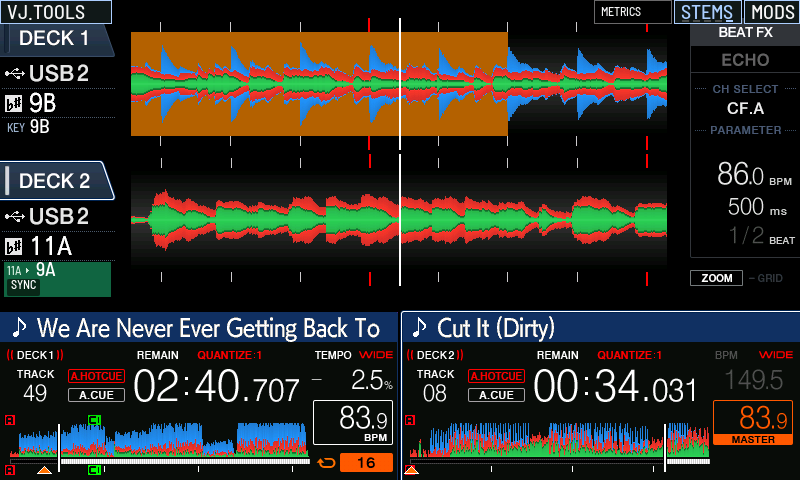
0.2.1 → 0.3.0-preview.13
Full beta changelog
The current behavior is summarized first. The controller list and desktop development history below preserve the detailed changes leading to this build.
A simpler desktop app
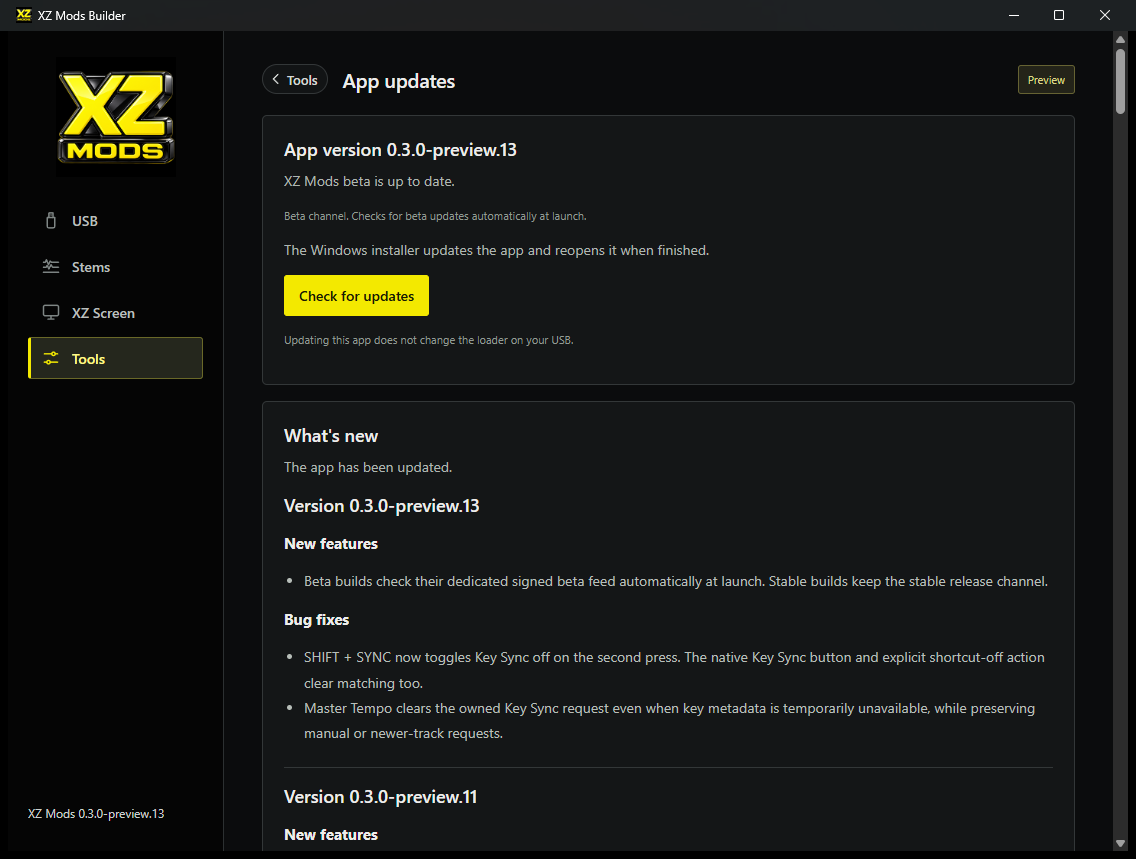
- This beta checks for updates automatically at launch and uses a dedicated signed beta feed. Review and install updates in the app. Stable users stay on the standard release channel. Preview.11 users need to install this beta once to switch to the beta updater.
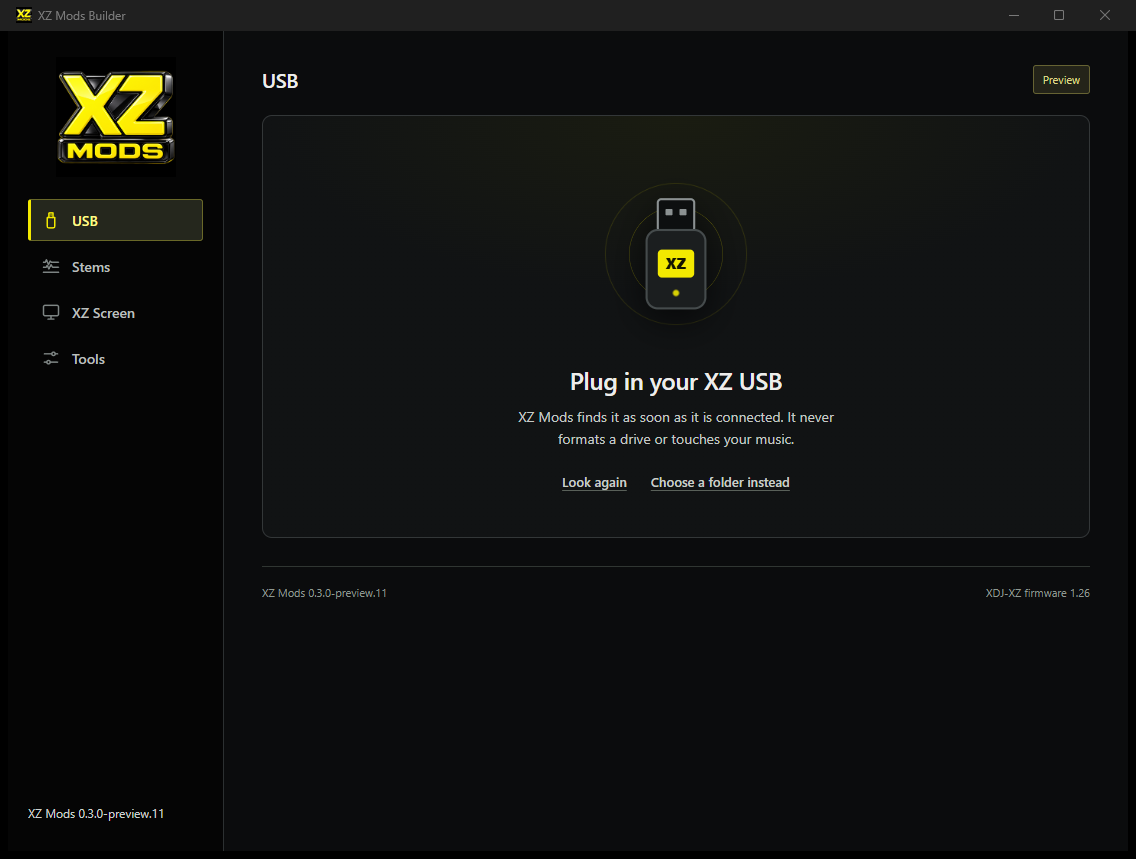
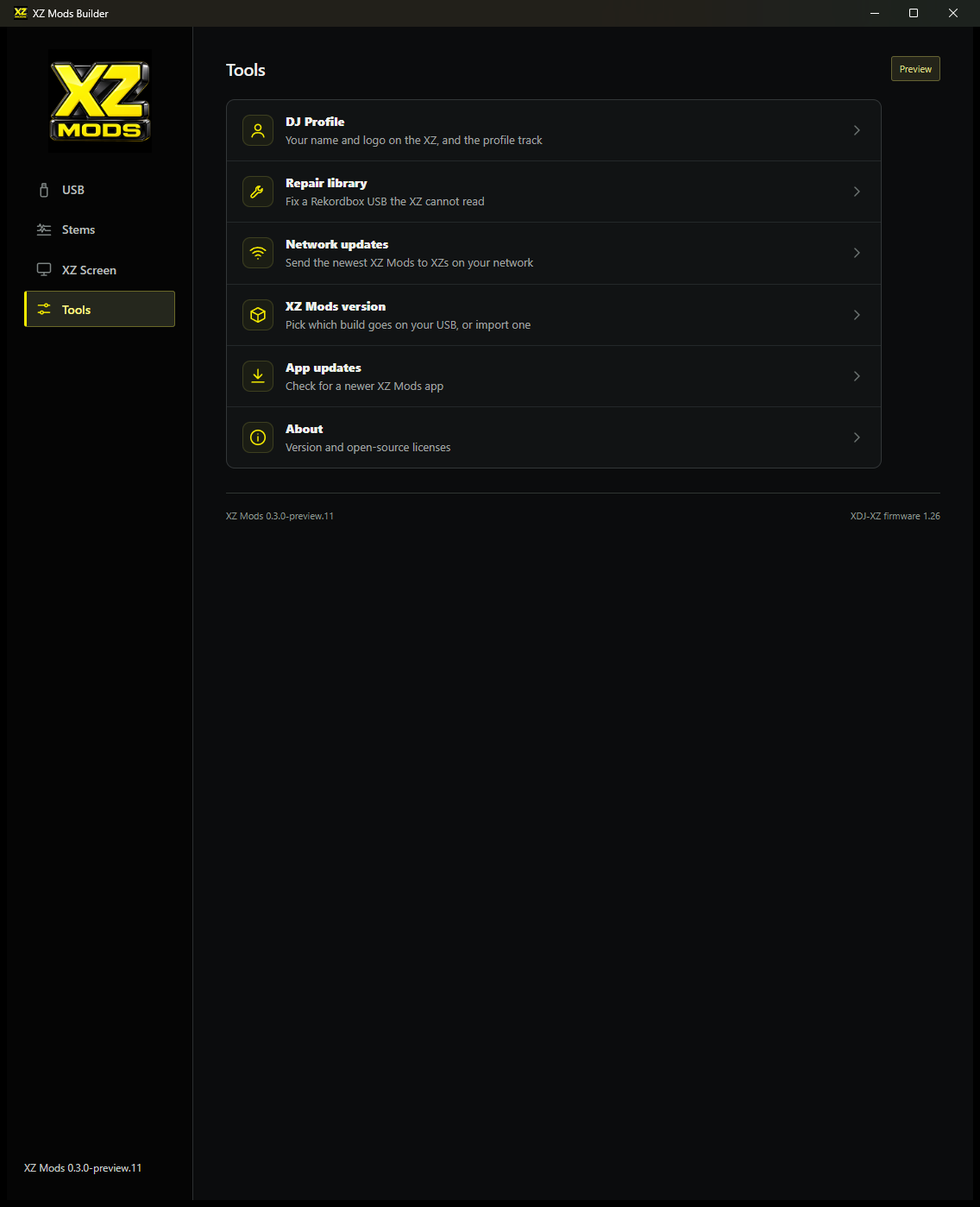
- The sidebar has four places: USB, Stems, XZ Screen and Tools. DJ Profile, Repair library, Network updates, XZ Mods version, App updates and About live in Tools.
- Plug in a USB and the app detects it. The USB page shows one status and action, your DJ profile, games and stems, and a read-only file tree.
- USB installation and updates use a short flow with an optional DJ profile, a review of planned writes and read-back verification. Existing music, playlists and prepared stems are preserved.
- Windows upgrades archive the complete previous resource folder, including runtime helpers and caches. Mod versions have immutable local archives, paired runtime/receiver files and an optional pin across network updates.
- Older settings can be adapted with a backup when switching builds. The existing loader backup and restore path remains available.
Stem preparation and playback
- Balanced stem separation uses Mel-Band RoFormer vocals and fine-tuned Demucs drums, with GPU acceleration when available. Fast and Light presets are also offered. The earlier Vocal focus preset is retired.
- The stem page has one selection and preparation bar, storage estimates, filters, search, track details, per-track progress, cancellation and retry. Verified bundles can be reused.
- Engine setup checks the computer, recommends a quality, downloads the engine and tests it on 30 seconds of your music before the first batch.
- Prepare from MP3 exports and 24-bit, float or other-rate WAV and FLAC. MP3 decoding retains the player timeline; older MP3 bundles are marked for preparation again. Direct AIFF and AAC source preparation is not supported.
- Import external stems or ZIP sets, assign roles and check alignment with the USB track. A vocals/instrumental pair can continue after engine setup.
- Bundles include per-stem waveform analysis for scrolling and overview strips. Existing XZ Mods bundles can gain waveforms without separating again. Imported VBR MP3 stems are decoded in one read.
- Adds OverCue OVPGZ004 44.1 kHz FLAC playback alongside earlier zlib and 96 kHz FLAC sets. Checks include decoded pages, full PCM hashes and source identity.
- Adds experimental AZ MODS and RX3 prepared-stem compatibility, including a bass role on four-stem tracks. Mismatched sets fall back to original audio. Physical-controller acceptance is pending.
- Fixes a track-generation race where a physical stem pad could change audio levels before the renderer reconciled the new track. The engine reset, generation publication and controls now share synchronization. Audible controller verification remains open.
DJ profiles and saved settings
- Create a DJ profile with a name, tagline and logo. Include it during USB setup, edit it later, or export a silent profile track for rekordbox with embedded logos and a silence check.
- The native MODS header displays the active DJ profile. Switch USB profiles, edit a profile on the player and recognize named DJPROFILE folders using the USB rekordbox color when no profile color is set.
- Browsing another USB no longer restores its settings automatically or silently transfers an established profile save destination. Boot restoration and explicit profile actions remain available.
- Queued edits retain their proven settings owner. Blank USB targets require an unowned profile or an explicit Apply+Save action. After a USB remount, saves remain local until reboot or explicit ownership is established.
- Current 515-byte default settings profiles are accepted during loader updates and build switches. Records over the parser limit are left untouched.
Live Streamer and OBS
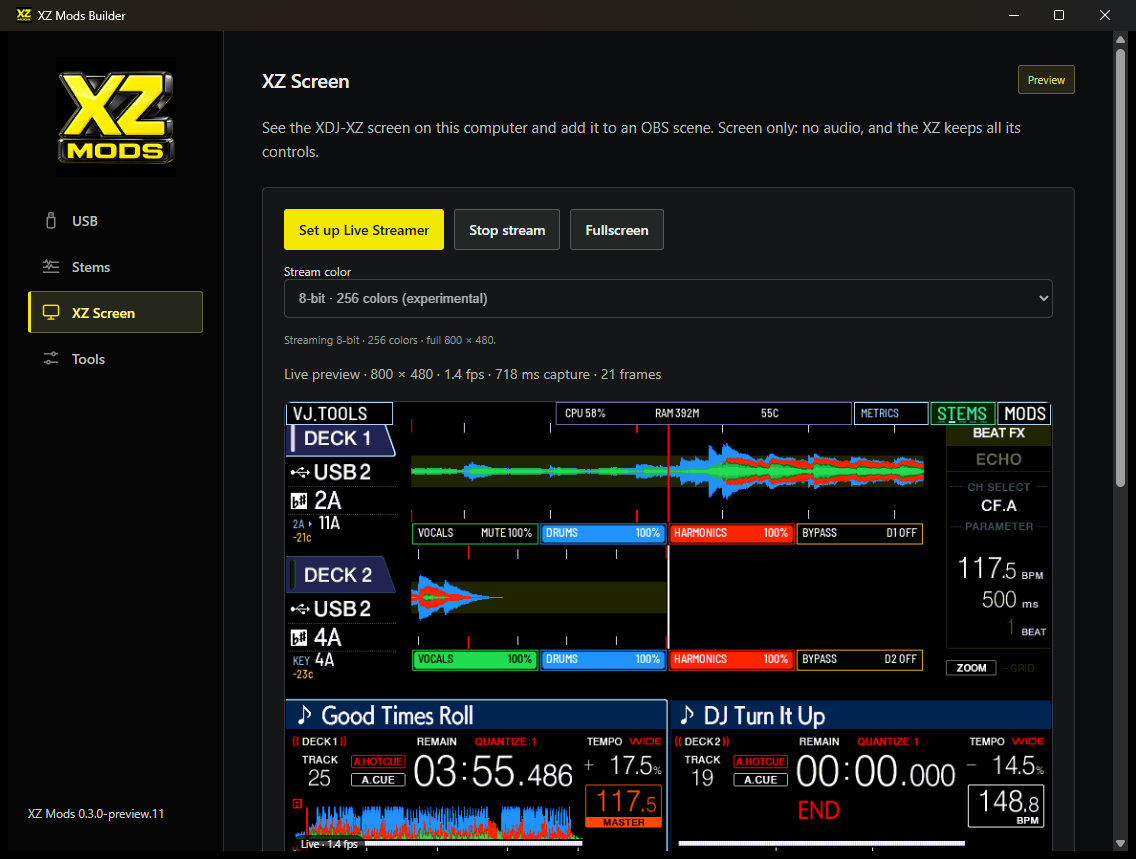
- XZ Screen previews the controller and supplies a local OBS Browser Source URL. The controller endpoint is read-only; stale pictures clear on disconnect and the app reconnects automatically.
- The lossless RGB565 path targets 30 fps with bounded delivery and GPU drawing. The rate badge shows measured frames. A PC replay reached 30 fps; this is not a measured XDJ-XZ frame rate.
- An experimental full-resolution RGB332 mode sends 384,000 bytes per frame using a fixed 256-color palette. Original 16-bit streaming remains selectable, and older loaders keep their working preview.
- Slow controller captures use a bounded five-second receive/stall budget. A shared three-second frame expiry keeps the desktop and OBS picture visible during variable capture timing; closed sockets clear the image immediately.
- An optional saved USB-browsing cover replaces unrecognized screens with the XZ Mods logo before sending frames or still images to OBS. Recognized stock performance screens return automatically. Menus and custom themes remain covered; physical privacy acceptance is pending.
Library repair and other tools
- Repair library handles supported blank-page interruptions in Device Library playback-history chains, with track IDs, playlists and prepared stems preserved.
- Clears invalid data in unused Device Library pages. This correction restored the tested XZME library in Windows rekordbox. Active pages and file length stay unchanged.
- Backs up the catalog and OneLibrary transaction journals, refuses stale inspections, changed USB identities, unsupported damage and repairs while rekordbox is open, and supports exact undo while the catalog is unchanged.
- Game choices share one catalog and one USB write flow. A USB without a loader defaults to supported free games; an existing loader keeps its selections. My House was removed because the required native GZDoom port is not qualified.
- The macOS source filters to local disk volumes, improves controller network address defaults, uses native fonts and points App updates to downloads. These source changes do not imply a matching Mac beta binary is available.
On the XDJ-XZ
Controller changes
These changes are included in the paired controller runtime. Experimental items keep their individual qualification notes. Updating the desktop app alone does not put them on your USB.
- SHIFT + SYNC now toggles Key Sync off on the second press. The native Key Sync control also toggles off. Master Tempo clears the matching Key Sync request even during a temporary metadata gap, without clearing newer manual or track requests. Native regression tests pass; physical controller verification remains open.
- Wave Rider is now hill surfing. The loaded track's waveform becomes the hills, and two players can ride co-op or versus on the two jogs.
- Small jog turns now tilt the Wave Rider ship instead of spinning it, and CUE adds weight on the slopes. SPIN LIFT is an optional quick jog spin near a crest.
- SHIFT + SYNC shifts the key of a deck to match the master deck. KEY SETUP checks both tracks and the master before it turns on.
- The USB track list shows each track's key before its title. Green fits the master deck. Amber fits but is detuned.
- Experimental. With rekordbox in PERFORMANCE mode on a computer, the onscreen stem buttons switch that track's stems. Showing the computer track's 3-band waveform on the XZ needs a companion program on the computer and the XZ network connection. It was seen once in a test capture and has not been confirmed by watching a deck.
- Muting stems on both decks does less audio work per block. This targets the distortion heard when muting stems on two decks. It is not yet confirmed on an XZ.
- RAM TRACKS copies the playing track into memory, with its prepared stems when there is room, so it keeps playing after USB STOP. One track per deck, up to 64 MB. This is experimental. Keeping the title and waveform on screen after the USB leaves is not confirmed yet.
- RHYTHM LAB adds ten short rhythm studies by VJ OpticMystic for the jogs and pads. They are prototypes, and you can rate each one.
- STATIC SURFER is a rhythm platformer by VJ OpticMystic. Tap to jump and tilt the jog to pass through the glyphs.
- The jog now sets the Wave Rider board's angle. Nose down gains speed and nose up launches. You can calibrate your jog and remap the action button.
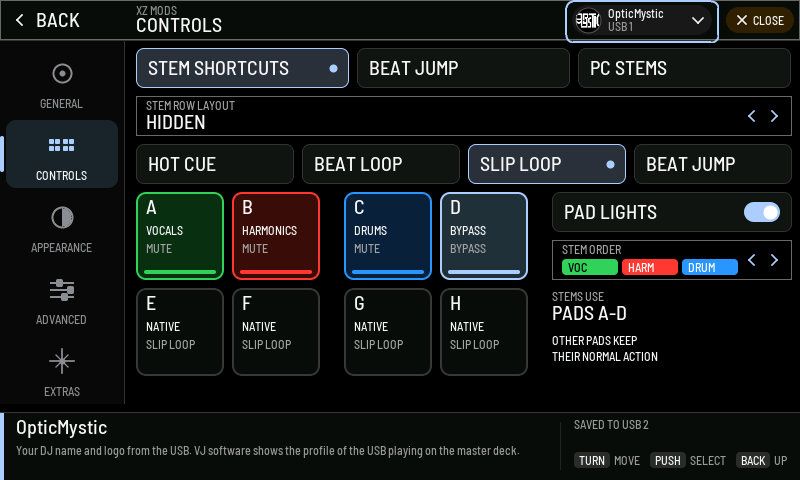
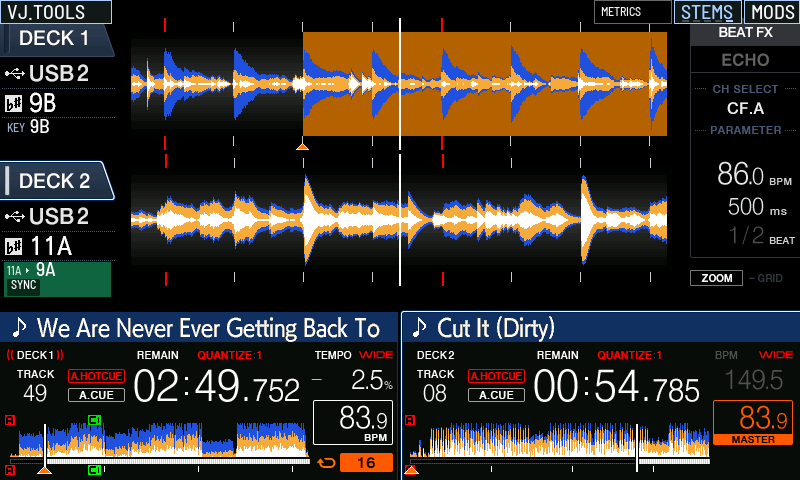
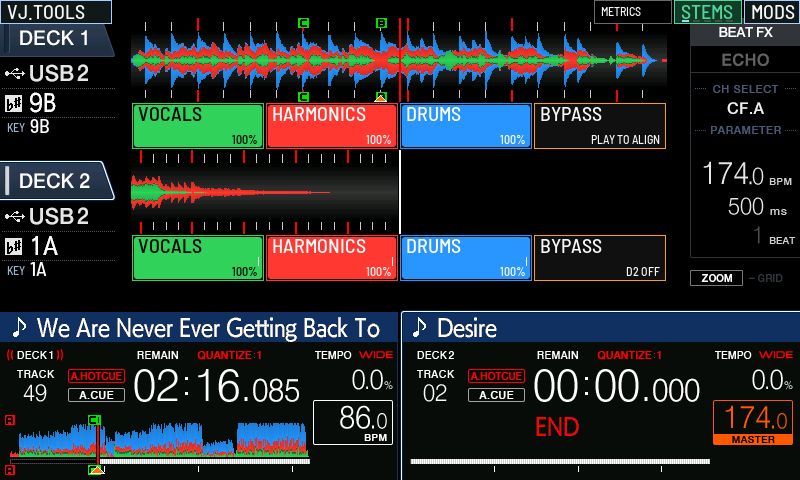
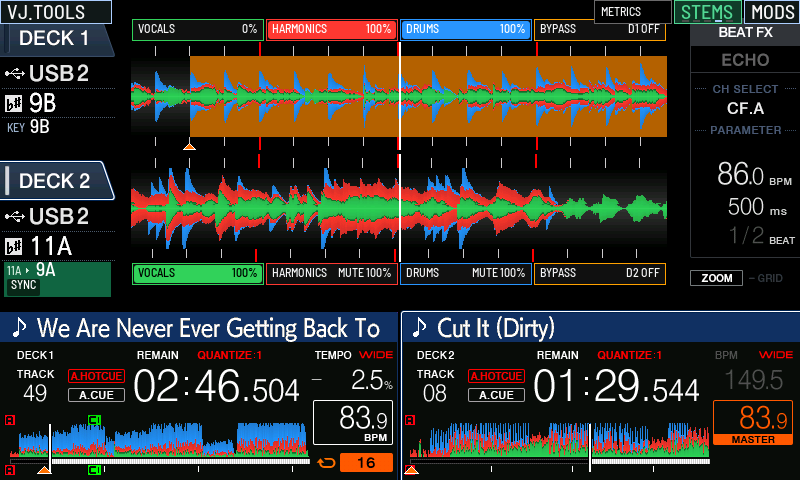
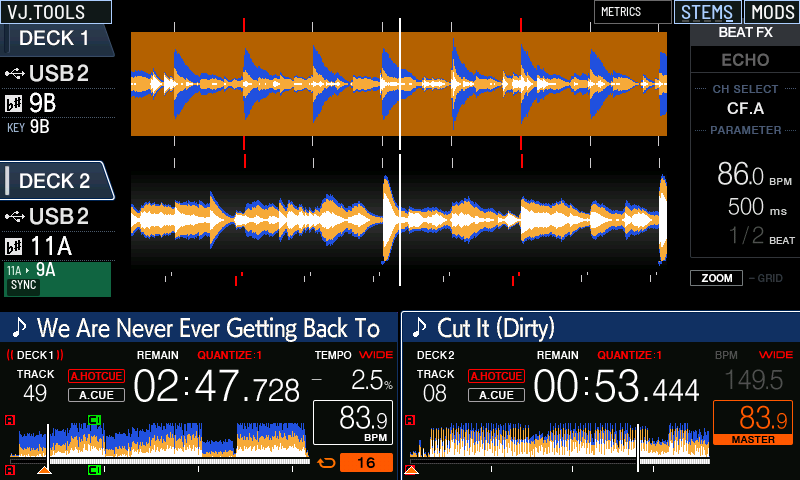
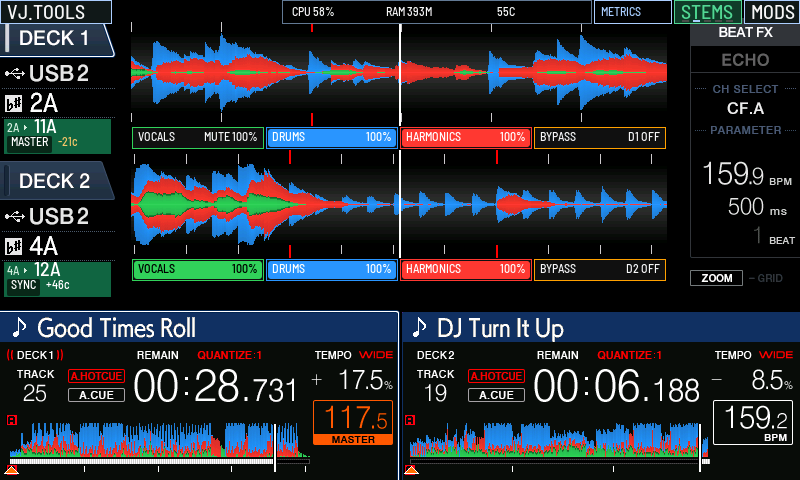
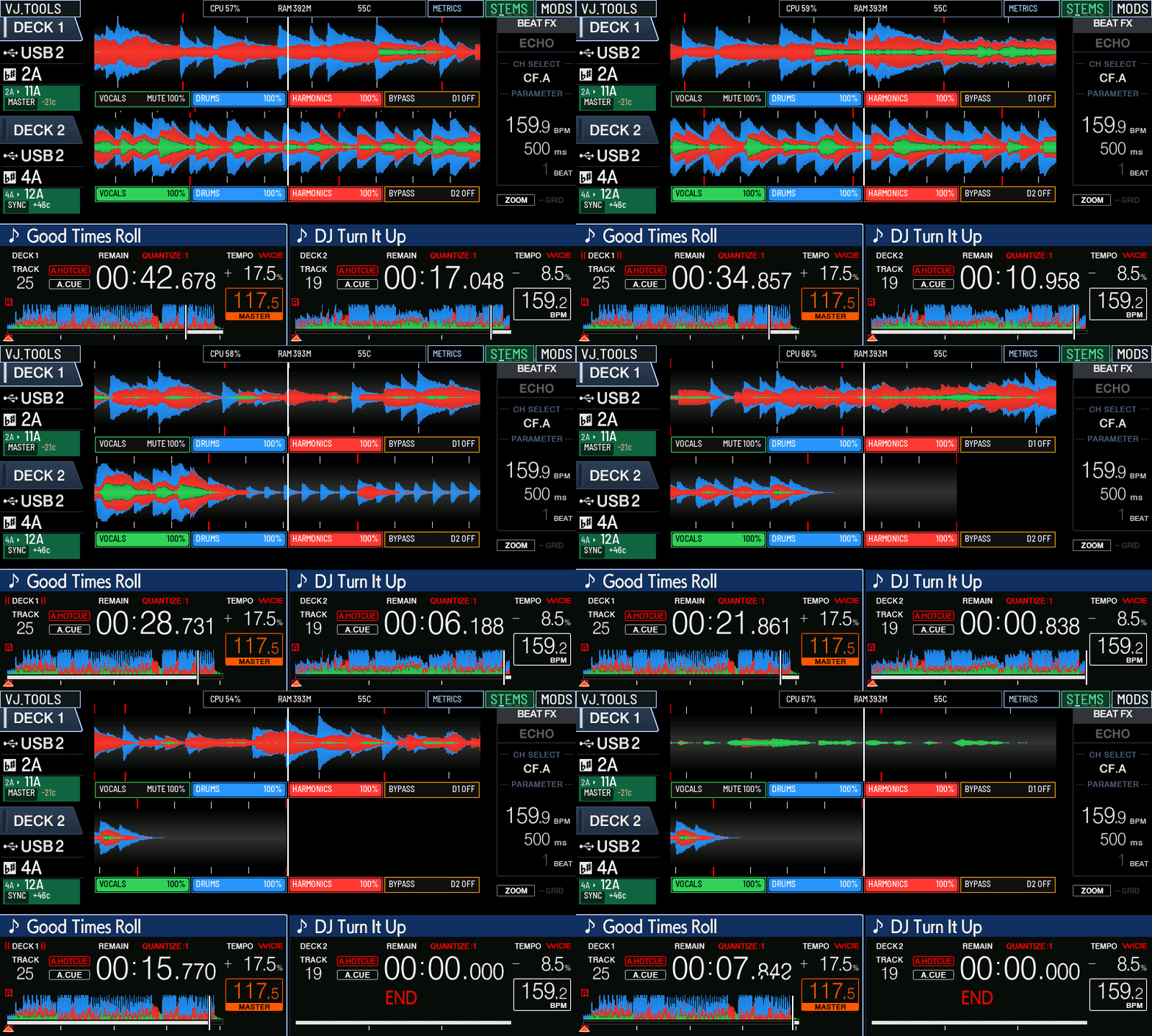
- Pick a color for drums, harmonics and vocals, or let the theme choose. Drums are now blue and harmonics red by default. Stem rows, pad lights and the STEMS waveform all follow the choice.
- The STEMS button cycles five stem row layouts. Rows can be full or half height, below the waveforms or at the outer edges, or hidden. Each stem button fills left to right with its level.
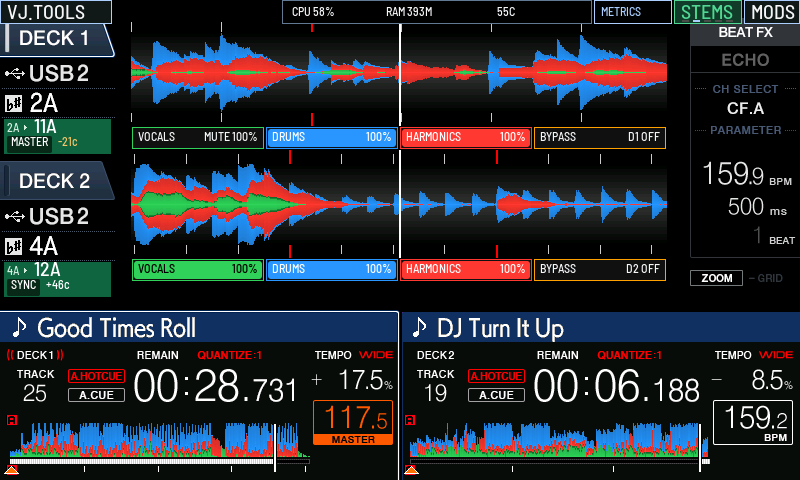
- Each deck shows its original key, playing key and cents in the beat countdown area. Linked decks show MASTER and SYNC. Turn KEY FEEDBACK off to get the stock countdown back.
- SORT and COLUMN sit above the USB track list and open the native sort menu. KEY FORMAT picks Classic or Camelot keys and is saved on each USB.
- APPS runs XZ SDK apps from the USB, when you tap RUN or each time the USB goes in. DJ controls keep working while an app runs.
- Changing stem rows or stem levels no longer freezes BROWSE.
- Every MODS page has a BACK button, and the physical BACK button steps back one page.
- MODS works without the touchscreen. The REKORDBOX key opens and closes it, the browse encoder moves between controls and a push selects. Turn REKORDBOX KEY off to get the stock key back.
- The MODS menu has a section rail on the left and an info box that explains the selected control and shows whether your change was saved.
- Spin the jog in the air to flip the Wave Rider board, then land level to bank flips and crests. Three perfect landings in a row light a rocket. Three new worlds use VJ OpticMystic's artwork.
- The Wave Rider board answers the jog faster in the air, and spinning back brakes it sooner.
- Pressing MASTER TEMPO while Key Sync is on returns that deck to its original key. Master Tempo stays on, and the next press works as stock.
- Wave Rider has EASY, NORMAL and HARD. EASY is the default and holds the air angle you set. Clean landings show the points they earned.
- METRICS shows CPU, RAM and chip temperature next to STEMS and MODS. It is off by default. The temperature turns yellow at 80 C and flashes red at 90 C.
- Pulling the USB, or loading one without settings, keeps your current settings. The XZ remembers your last settings and restores them when it starts without a USB. The footer says SAVED TO USB or NOT SAVED after each change.
- Settings saved by an older loader no longer turn your Off choices, such as KEY FEEDBACK or the 3-band waveform, back On.
- Every game works without the touchscreen. The encoder moves and selects, BACK steps back and REKORDBOX returns to MODS. DJ VIEW on the Beat Arcade pause screen now returns to the deck.
- The MODS header shows the DJ profile from your USB with its logo and name. Tap it to switch between the profiles on both USBs. Nothing is stored on the XZ.
- Create or edit a DJ profile on the XZ. Type the DJ name and a tagline with the encoder or by touch, pick a logo image from the USB, then save it to USB 1 or USB 2.
- A folder named after the DJ inside DJPROFILE, with a logo in it, now counts as a profile. Profiles without their own color use the USB's rekordbox color.
- MODS opens on GENERAL, which lists the main features in one place. A feature that needs setup opens a short page that detects it, enables it and has you test it on a deck.
- STEM ORDER sets the left to right order of drums, harmonics and vocals. The stem rows, pads A, B and C and their lights follow it. It saves to your USB.
- The loading artwork and MODS screens show xzmods.com.
- The XZ also plays stems prepared in the AZ MODS and RX3 formats. On four-stem tracks pad D mutes bass. Sets that do not match the track are refused and the original audio plays. Not yet tested on an XZ.
Complete development record
Desktop development history
These entries record the successive local previews since 0.2.1. Older navigation and setup descriptions document earlier iterations; the current app has USB, Stems, XZ Screen and Tools.
- Preview.13 adds automatic update checks at launch and a dedicated signed beta update feed. It includes the paired controller runtime with Key Sync off controls. Updating the app preserves USB data and saved mod-version pins; update the USB loader to use controller fixes.
- Live Streamer adds an experimental full-resolution 8-bit RGB332 mode: each controller frame is 384,000 bytes with a fixed 256-color palette and no RLE/delta work. The original 16-bit stream remains selectable, older loaders retain their working stream with an Update USB loader action, and the privacy logo recognizes the quantized screen. Hardware performance qualification remains separate from host tests.
- Live Streamer allows busy controller captures to finish within a bounded five-second receive/stall budget. Its lag guard compares delivery with capture/encoding completion, so variable XZ processing time no longer forces a network reconnect. Closed sockets still clear the picture immediately.
- Live Streamer keeps the picture visible through slow controller captures instead of flashing Connecting after one second. Both the desktop preview and OBS use the same bounded three-second frame expiry; socket failures still clear the picture immediately. Measured controller capture/encoding speed remains separate from connection status.
- Live Streamer offers a saved USB-browsing cover. It replaces unrecognized screens with the XZ Mods logo before sending either OBS frames or still images, and restores recognized stock performance screens automatically. Menus and custom themes remain covered. Physical-controller acceptance remains pending.
- Preview.11 rebuilds the desktop UI as a device utility. The sidebar is USB, Stems, XZ Screen and Tools (a list that opens DJ Profile, Repair library, Network updates, XZ Mods version, App updates and About). The USB page finds a plugged-in USB through the new `list_volumes` host command (no backend job per poll) and opens it when there is one; it shows one status with one action, three tiles (DJ profile, games, stems) and the read-only file tree behind a disclosure. Writes run as a short flow (profile, review, writing, done) that sends the same backend requests as before. macOS: `managed_usb.discover` keeps only local `/dev/disk` volumes, `runtime_ota.network_addresses` puts 169.254.168.58 first, the Local Network prompt covers Live Streamer, App updates points to the downloads page, native fonts. `tools/verify_setup_wizard.mjs` 77 checks, `verify_dj_profile.mjs` 95, `verify_stems_page.mjs` 57.
- Preview.10 changes Smart Cue to update the native main-cue position without cancelling playback reservations or ending slip/audible-pause state. Turning Smart Cue off resolved the owner's Hot Cue stop-on-release reproduction with Gate Cue off. The old adapter fails the new real-ARM emulation check; the replacement passes 53 cases on each supported 1.26 executable. Hardware acceptance remains pending.
- Windows upgrades now archive the complete previous resource folder, including older runtime helpers and generated caches, before installing the new package. An explicit verified offline catalog input retains rollback versions in clean builds. Isolated installer checks cover fresh installs, repeated upgrades and refusal to move unidentified resources.
- Preview.9 targets 30 fps for Live Streamer and OBS with lossless RGB565 compression, bounded delivery and GPU drawing. The rate badge reports measured frames. Legacy loaders retain their working preview. Sanitized native codec/handler checks and Windows transport tests pass; a three-minute PC replay sustained 30 fps. Actual XZ performance and audio/control acceptance remain open.
- Preview.8 adds Live Streamer screen viewing and a local OBS Browser Source URL, with a read-only controller endpoint and a one-frame-per-second preview. Disconnects clear stale frames and reconnect automatically.
- Adds automatic playback support for OverCue `OVPGZ004` 44.1 kHz FLAC stem sets while retaining older zlib and 96 kHz FLAC sets. The desktop checker verifies the declared rate, every decoded page, complete PCM hashes and source identity.
- USB stem controls report the actual readiness reason, and turning stems on no longer requires a repeated setup sequence. The MODS menu distinguishes USB stems from PC stems. Physical controller acceptance is recorded separately from host verification.
- Repair library detects and clears invalid data in unused Device Library pages, the correction that restored XZME in Windows rekordbox. Every active page, track ID, playlist and file length is preserved. Ambiguous layouts are refused; verified backups and exact undo cover this repair too. The app now describes the specific repair it offers. Controller playback acceptance remains separate.
- Repair library now backs up and checks OneLibrary's transaction journals alongside its main database. New or changed journals block stale repairs and undo. Sixteen repair tests pass. This fixes backup coverage; it does not yet repair the reported XZME corruption warning in Windows rekordbox.
- Loader updates and build changes accept the current 515-byte default settings profile. The switch now uses the settings parser's 1,023-byte limit; oversized records remain untouched. Current-profile and oversized-profile regressions cover the boundary. Physical controller acceptance remains separate.
- Shortens Set up USB to five steps and moves game choice into the Write step (0.3.0-preview.7). NonEssentials, Settings and the Games page are removed; the settings editor (`ui/settings-menu.js`) is deleted and `profileChip` moved to `ui/profile-chip.js`. The Write step has a Custom installation accordion (`customInstall()` in `ui/setup.js`) drawing the games chooser: a USB without the loader starts with every working free game ticked (`defaultGames`), a USB with the loader keeps what it has. Built-in games are one line until the loader schema carries `games_menu`, then rows with switches. My House is removed from the UI and from the builder catalog (toolkit a6eef1c). `tools/verify_setup_wizard.mjs` 56 checks, `tools/verify_dj_profile.mjs` 94.
- Adds a DJ Profile step to Set up USB and makes the profile editor low-friction (0.3.0-preview.6). The wizard is seven steps (USB, Loadout, DJ Profile, NonEssentials, Settings, Write, Done). The step draws the same editor state as the DJ Profile page (`ui/dj-profile.js`) into a slot; its draft is not saved on its own but by the Write step (`djProfilePage.pending()` / `writePending()`), and the loadout tree plans the DJ profiles row as Will add or Will update. An empty step offers Skip for now; a USB that has a profile shows it with Edit. The editor leads with name, a logo drop target (Tauri drag-drop paths from anywhere in the window, or Choose file; several files become alternates) and colour: rekordbox's eight USB colours as swatches with the stick's own colour (`stick_colour`) marked and preselected, plus a custom picker. Tagline, links, other names and note fold under one optional heading. An empty USB opens the editor straight away on the DJ Profile page. The settings menu's DJ chip goes to the wizard step. `tools/verify_dj_profile.mjs` runs 96 checks (drag-drop, swatches, the step through Write and Done); `tools/verify_setup_wizard.mjs` 83.
- Adds the DJ Profile page and the profile track wizard (0.3.0-preview.5). `ui/dj-profile.js` is one state machine (no USB, loading, list, editing, saving, track) over the toolkit's `read_dj_profiles`, `read_logo`, `save_dj_profile`, `set_active_dj_profile` and `write_profile_track` methods, and shares the USB chosen in Set up USB. The editor validates the backend limits inline (160-character name, 80-character tagline, eight logos, 24 MB of logos, https links) and previews the MODS header chip and the 160 x 160 tile in the USB's theme. A revision conflict, for example a profile switched on the XZ, shows one Reload that keeps the draft. The profile track wizard saves the silent MP3 for rekordbox (optionally also on the USB), reports embedded logos and the silence check, and lists the rekordbox steps. The loadout tree gains a read-only DJ profiles row, the settings menu header carries the active DJ chip like the XZ, and `pick_path` takes kind `image` (PNG or JPEG). `tools/verify_dj_profile.mjs` runs 74 checks under the app CSP.
- Adds the NonEssentials step, a Games page and an update preview (0.3.0-preview.5). Set up USB is six steps; games are chosen in NonEssentials from one catalog (`ui/games.js`) that covers the four games built into the loader and the four free downloads, and the Games page draws the same chooser on the same state, so the Write step stays the one write path. A `games_menu` visibility switch appears per game only when the loader's settings schema carries that field. Under the loader row, `ui/mod-update.js` lists what changes on the XZ between the USB's recorded build and the chosen one, from `ui/mod-changes.js`, which `tools/export_mod_changes.py` generates from `mod-changes.json` by git ancestry in VJToolsLibrary (`tools/test_export_mod_changes.py` covers it). Fixes the installed app dropping every inline style under its CSP (the tree collapsed to one column): `el()` now sets styles through the CSSOM, and the three UI verifiers serve `ui/` with the app's real Content-Security-Policy and fail on any violation. `tools/verify_setup_wizard.mjs` runs 82 checks.
- Shows the USB loadout as a file tree (0.3.0-preview.4). The Loadout step replaces the Loader and Games steps: one row per loader, settings file, backups folder, game, prepared stems folder and Rekordbox library, each with a status dot and badge, a "Will add/update/change" marker when it is part of the write, and a tick box only where there is a choice. The Write step shows the same tree with only the planned rows lit; Done shows it again from the read-back. `inspect_usb` now reports free space, prepared stem folders and whether a Rekordbox export exists. `tools/verify_setup_wizard.mjs` covers the five-step flow (57 checks).
- Set up USB is one guided flow (USB, loader, games, settings, write, done) and the first page. Games are opt-in per title; the backend only copies the games the request lists and reports which games a USB already holds. The settings editor mirrors the on-device MODS menu (five tabs, same rows, pad diagram, info dock, drawn in the chosen theme) and covers every saved field, including the browse columns the XZ never shows. USB loader, USB settings and Games pages are gone; mod version, loader backups, firmware-file builds and single game downloads live under Advanced tools. `tools/verify_setup_wizard.mjs` drives the whole flow headless (44 checks); `tools/export_device_themes.py` regenerates `ui/device-themes.js` from the native theme table.
- Prepares MP3 stems on the player's timeline: the decoder keeps every MP3 frame instead of trimming the LAME encoder delay, so bundles from tagged MP3s no longer start 25 ms early. The stems page marks MP3 bundles made before this build with "Prepare again · MP3 timing"; each MP3 manifest records its source rate and LAME timing. Mirrors the OverCue Desktop 2.2.5 fix of 2026-10-10.
- Prepares stems from MP3 exports, and from 24-bit, float or any-rate WAV and FLAC. AIFF and AAC are listed as not yet supported instead of pointing elsewhere.
- Estimates the USB space every track's stems will take, per role, and learns from each bundle written on this computer. Estimates include the new waveform files and the 4096-page and 4 MiB index limits.
- Replaces the CPU-only Open-Unmix pipeline with a separation engine that uses the GPU when present: Balanced (Mel-Band RoFormer vocals, fine-tuned Demucs drums), Fast and Light, all MIT-licensed weights, one worker per batch, a percentage and a time estimate learned on this computer. The Vocal focus preset is retired.
- Writes per-stem waveform analysis into every bundle, so the XDJ-XZ STEMS scrolling waveform and stem overview strips work for tracks XZ Mods prepared. Existing XZ Mods bundles can get them without separating again.
- Decodes imported VBR MP3 stems in one read; libsndfile returned wrong samples when reading them in parts. Adding waveforms never rewrites a bundle's manifest in place.
- Rebuilds Prepare stems as one page. A sticky bar shows the USB, a storage meter, the size of the current selection with the space left after it, and one button. When a selection does not fit, the button prepares the tracks that do. Rows show Missing, Queued, Preparing with a percentage, Ready, Failed and the reason, and change in place while a batch runs. Filters, search and a details drawer per track replace the separate batch, import and check panels.
- Adds a stem engine setup that checks the computer, recommends a quality, downloads once, and tests on 30 seconds of your music before the first batch. Every setup failure names one cause and one fix.
- Adds an import window for stems made elsewhere (Suno, Demucs, UVR or any WAV, FLAC, MP3 or AIFF set, or a ZIP). It places files by name, lines them up with the track on the USB, and asks only when a file needs a place or the stems do not match. A vocals and instrumental pair continues after engine setup.
- Shows progress with the current step, one forward-only percentage per track and the time left. Cancel, an unplugged USB and a full USB each end with a summary and the one next step.
- Adds persistent mod-version selection with immutable local archives, matched runtime and receiver files, and an option to keep a USB loader pinned across network updates.
- Offers backed-up settings adaptation when an older mod cannot read newer preferences. Retains the existing loader-restore path and uses the recorded mod's schema when editing its settings.
- Adds a Repair library utility for Device Libraries with blank pages interrupting playback-history chains. It preserves track IDs, playlists and prepared stems, backs up catalogs on the computer, and supports exact undo while the catalog is unchanged.
- Rejects unsupported damage, stale inspections, changed USB identities and repairs while Rekordbox is open. Structural checks do not replace testing in Rekordbox and on the player.
Please read before testing
Verified, and still to verify
Software and package checks
- The installed preview.12 app automatically detected preview.13 at launch, downloaded and verified the published signed installer, installed it and reopened. The installed executable and all 2,262 bundled resources match the built package.
- Native profile-worker, pad-control, SDK/UI, audio-runtime and decoder/mixer software suites passed. The frozen decoder rerun exited successfully. ARM ABI checks passed.
- The paired native runtime is 60531d7d and the receiver is dd12975a. The installed preview.13 app generated a loader in a private folder, which was decrypted to verify its embedded modules, metadata and pin. No physical USB was written by that check.
- Key Sync regression tests cover a second SHIFT + SYNC press on both decks, Master Tempo exit during missing metadata, explicit shortcut off, and preservation of newer manual or track requests.
Physical testing remains open
- Confirm the Key Sync off controls on an XDJ-XZ running this exact loader: second SHIFT + SYNC press, native Key Sync button and Master Tempo. The Windows app update alone does not replace a USB loader.
- Cold boot, extended two-deck playback, audible stem alignment and the first physical stem-pad action after loading a track need testing on this exact candidate.
- Confirm profile ownership and saved layouts when browsing both USB sources, switching profiles and reinserting a USB.
- Smart Cue-ON physical acceptance is not established. Hot Cues worked in the reported Smart Cue-OFF / Gate Cue-OFF setup; preserve your current settings and include them in any bug report.
- Actual 8-bit stream frame rate, long-run audio/control behavior and privacy masking on the controller remain unqualified. PC replay results do not establish these.
- AZ MODS/RX3 playback, experimental RAM-track retention and all new game/control interactions still require physical qualification.
Send useful feedback
Include this version, your Windows version, XDJ-XZ firmware, USB port, track format and exact steps. For stem problems, note the layout, Smart Cue and Gate Cue settings, what you heard, and what the indicators showed. Remove private information before attaching logs.
Report beta feedback ↗Install and roll back
- Back up your USB and keep the stable 0.2.1 installer. Close XZ Mods, then run the Windows beta installer. It updates the desktop app.
- Open XZ Mods from its desktop shortcut. Review the selected mod version, especially if you have pinned an older build.
- To test controller changes, stop both decks and follow the USB page's backed-up loader update flow. Safely eject the USB and cold boot the XDJ-XZ with it. Never update or reboot during playback.
- Test ordinary playback and the beta features before using this USB in a set.
To return to a previous controller build, use the app's loader backup/restore or version selection. Reinstalling the stable desktop app alone does not restore the USB loader. The beta app's Windows installer archives the previous resource folder before an upgrade.
Stable 0.2.1 and downloads ↗